



Exchange Database (EDB) files hold mailbox information utilized in Microsoft Exchange Server, which includes emails, attachments, contacts, calendar, notes, tasks, and mailbox folders. If an EDB file exists but the Exchange environment required to access it is not at hand, accessing data stored within becomes quite difficult.
In general, Microsoft Exchange does not offer an independent tool that would help to view the content of the EDB file. Usually, one needs to have Exchange environment along with database management tools in order to manipulate with mailbox information.
But in case when you do not have an Exchange environment and have only the EDB file on hands, you may find it useful to employ EDB viewer or converter software.
Why Would You Need to Open an EDB File?
An EDB file can contain a large amount of mailbox information. Administrators may need to view its contents for several reasons, such as:
- Checking which mailboxes are stored in an EDB database
- Viewing emails and attachments
- Finding specific messages
- Checking contacts and calendar items
- Reviewing archived mailbox data
- Accessing information stored in an older Exchange database
- Selecting specific mailbox data for export
- Inspecting an EDB file before deciding how to process its contents
The challenge is that an EDB file isn’t designed to be opened directly with Outlook, Windows File Explorer, or a standard database viewer.
Can You Open an EDB File Without Exchange Server?
A dedicated EDB to PST converter can read the database directly without requiring a running Exchange Server.
Online EDB to PST Converter by Stellar is a browser-based option that works directly with an EDB file. It does not require Microsoft Exchange Server or Outlook to be installed. Users can upload a supported EDB file, analyze the database, preview the folder structure, and item counts and download the extracted mailbox data as PST files in a ZIP archive.
For organizations working with larger databases or requiring more control over the extraction process, Stellar Converter for EDB is a desktop-based tool that can process Hosted and offline EDB files.
How to Open and View an EDB File
There are several approaches depending on whether you have access to an Exchange environment and how much control you need over the database.
Method 1: Use Exchange Server Tools
If the Exchange Server environment is available and functioning, administrators can use Exchange’s native tools and management interfaces to work with mailbox databases.
This approach can be useful when the objective is simply to manage existing mailboxes within the Exchange environment.
However, it becomes less convenient when you have an EDB file that needs to be inspected independently or when you don’t want to configure an Exchange environment simply to view the database contents.
Method 2: Use an Online EDB to PST Converter
For smaller EDB files, an online service can provide a simpler approach.
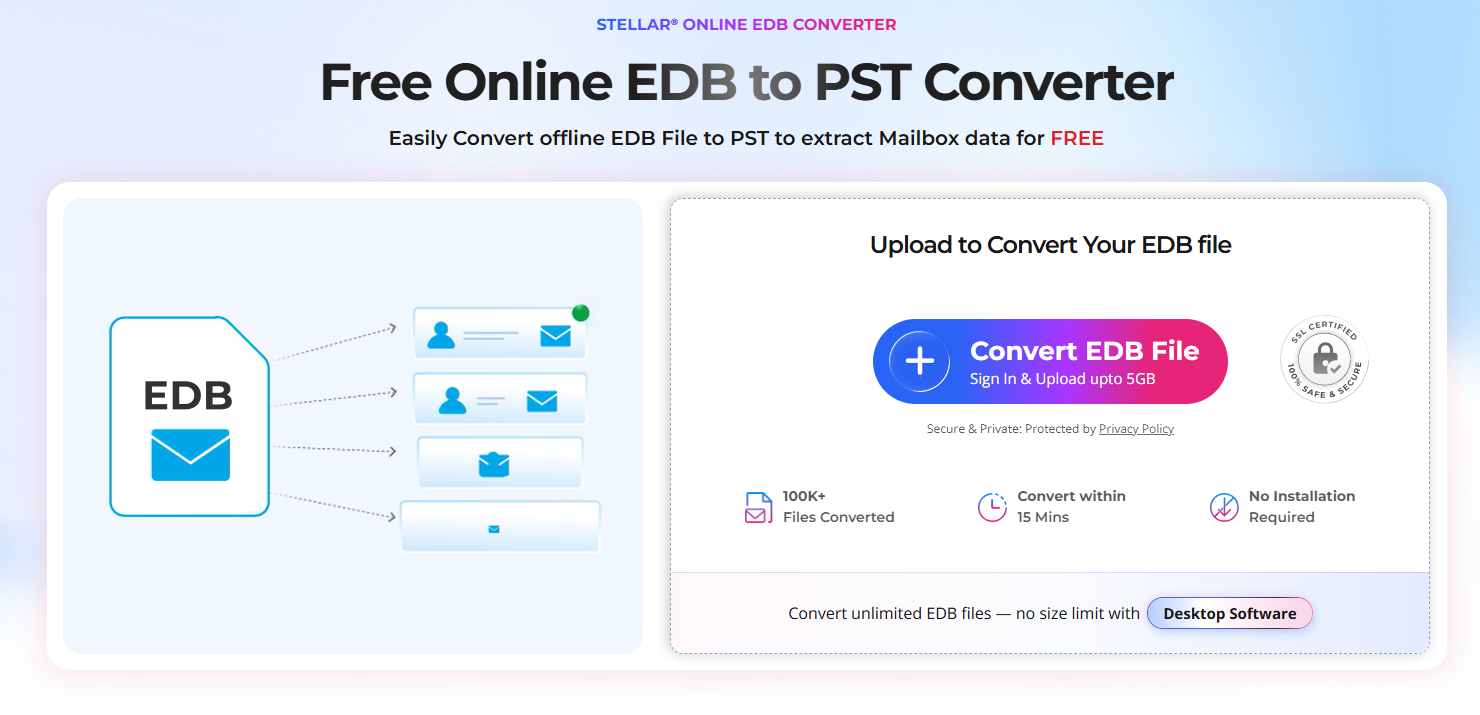
Free Online EDB Converter by Stellar allows users to work with an EDB file through a web browser. The process involves three basic steps:
1. Upload the EDB file
Upload the supported EDB file through the online converter.
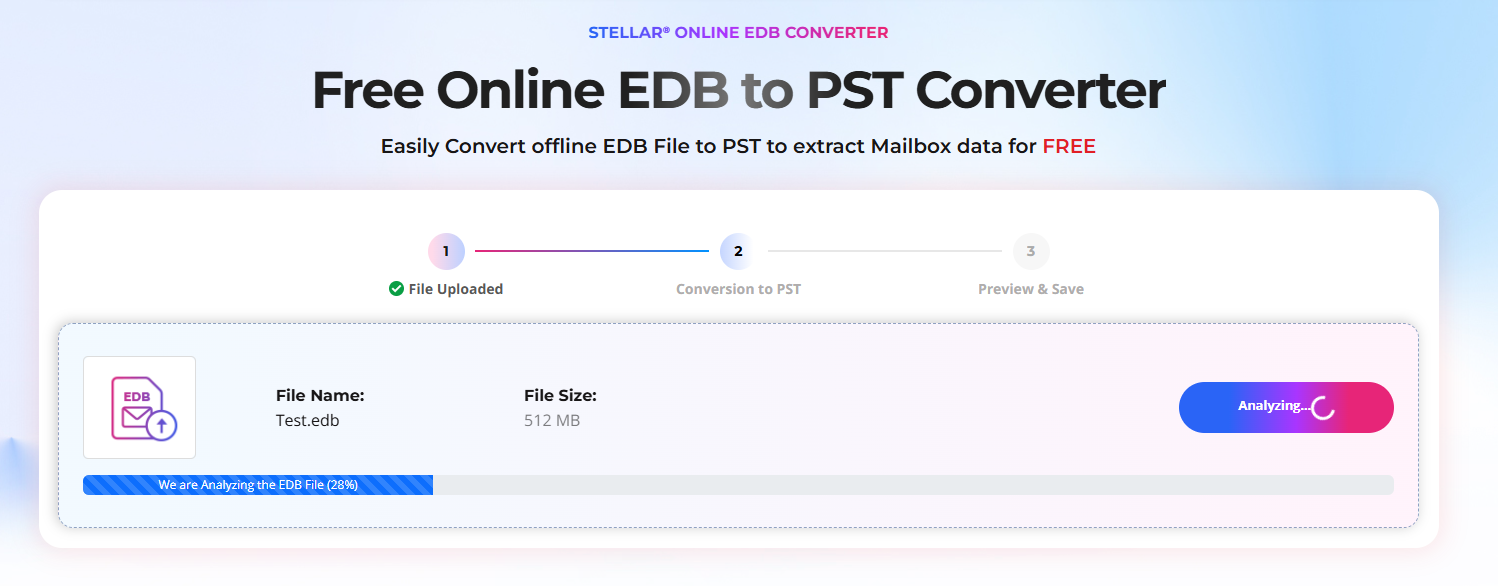
2. Analyze and preview the data
Your EDB file is securely analyzed and converted in a fully automated environment, without any human intervention. You can preview the mailbox folder structure, and item counts.
3. Download the extracted mailbox data
Download converted mailboxes as individual PST files in a ZIP archive.
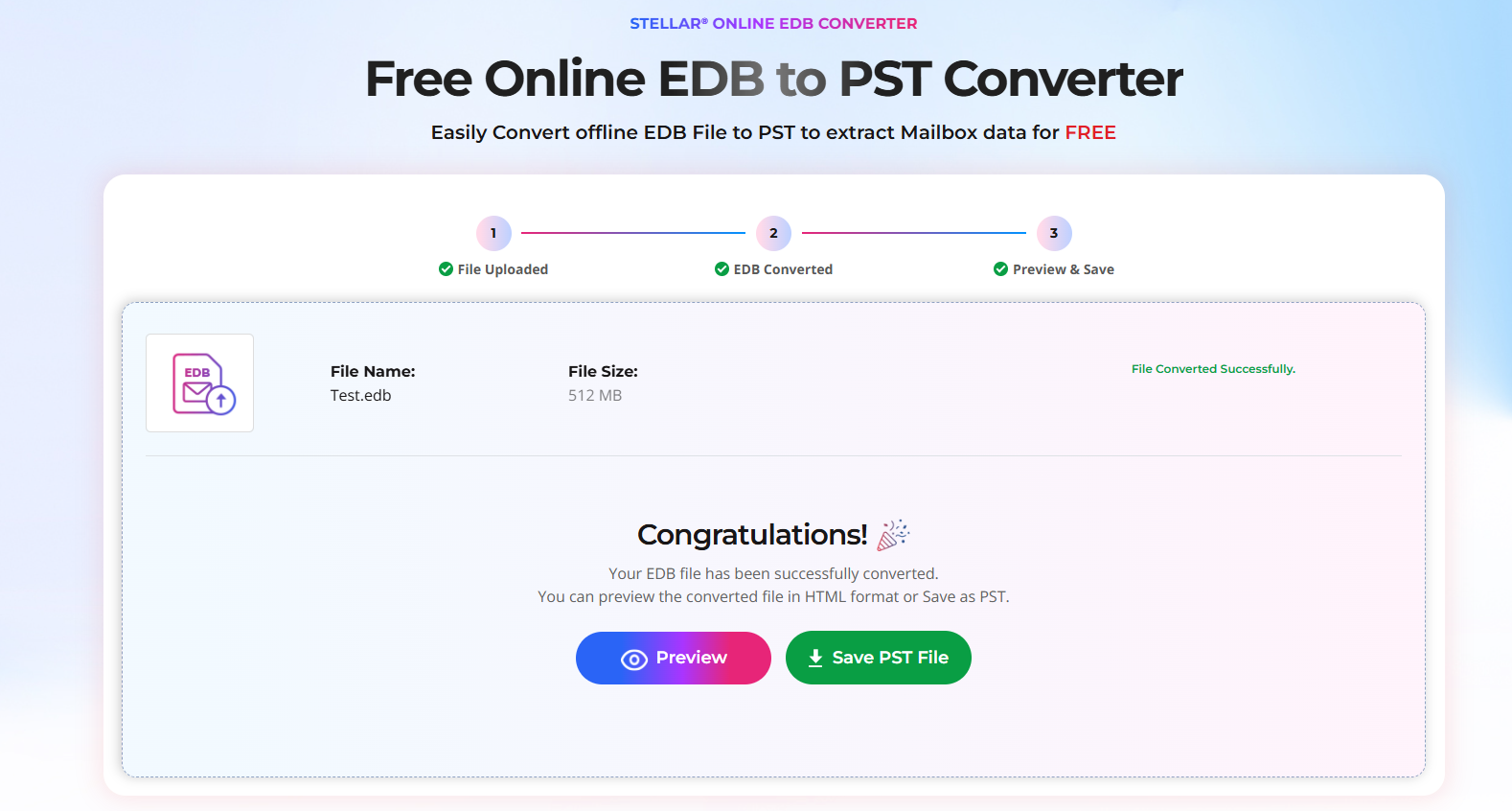
The online service supports EDB files up to 500 MB under its free option, while its premium option supports files up to 5 GB. Converted files are available for download for 24 hours under the free option and 48 hours under the premium option, after which they are automatically removed from the service.
Method 3: EDB to PST Converter Desktop Edition – Convert Unlimited Mailboxes
In case the size of the database is quite large or there are many mailboxes stored within the EDB file, then using desktop software would be a better choice.
Stellar Converter for EDB allows opening and analyzing both Hosted and offline Exchange EDB files. It gives the option of viewing the mailboxes on a mailbox basis so that the administrator can review emails, attachments, contact, etc., before exporting any information.
It does not need Exchange Server or Active Directory in order to open the old EDB file.
Viewing Individual Mailbox Items
Opening the database is only the first step. In many cases, administrators need to locate particular items rather than export everything.
It provides a detailed preview of mailboxes and individual items. You can select or deselect specific mailboxes and mailbox items before saving them.
The software also provides a search function for locating specific messages using criteria such as:
- Sender
- Recipient
- CC
- Subject
- Message body
- Attachment name
- Importance
- Item type
This can make it easier to locate a particular message inside a large EDB database instead of manually browsing thousands of mailbox items.
Viewing Emails, Contacts, Calendars, and Other Data
An EDB database contains more than email messages.
Depending on the database and mailbox, you may need to inspect:
- Emails
- Attachments
- Contacts
- Calendars
- Notes
- Tasks
- Inbox and other mailbox folders
- Archive mailbox data
The service allows for extraction of mailbox data, including email messages, calendar, contacts, notes, tasks, and folders, preserving the existing folder structure.
The desktop version also offers extended previews of mailbox items prior to saving, enabling admins to find out what data is stored in the database prior to its export.
What If You Need Only Some of the Emails?
Processing of an entire mailbox is not obligatory.
Stellar Converter for EDB enables selective mailbox and item conversion. Administrators are able to select certain mailboxes or mailbox items and save the needed data.
In addition, filtering capabilities allow filtering the data according to such criteria as sender and time period, as well as excluding certain items from folders, such as Junk Email or Deleted Items.
This option may come in handy when there are multiple mailboxes stored in an EDB database but only some data is needed.
What Can You Do After Viewing an EDB File?
Once the required mailbox data has been identified, you can choose an appropriate output format depending on your needs.
EDB to PST Converter supports exporting EDB data to several formats, including:
- PST
- EML
- MSG
- HTML
- RTF
It can also export contacts to CSV. Exports offline EDB files to live Exchange Server or Microsoft 365.
The online converter is convenient when you want a browser-based solution for a smaller EDB file. The desktop edition is more appropriate when working with large EDB files, multiple databases, or when you want the converted data to remain on the local computer.
Final Thoughts
An EDB file isn’t something you can simply double-click and open in Outlook. In case one needs to examine an Exchange database without having to install or access the original Exchange installation, EDB to PST converter might prove useful.
For small EDB databases, the free online service, Free Online EDB to PST Converter, allows users to upload an EDB file through a browser, analyze and preview mailbox folder structure, and item counts, and download the converted PST file without requiring Exchange Server or Outlook to be installed on their computer.
If a user requires more advanced functionality such as viewing, searching, filtering, and exporting information from a large-size EDB database, then Stellar Converter for EDB will be a more suitable choice.